
Guide to starting an online store
Starting an online store can feel overwhelming when you see terms like product sourcing.
Additionally, other terms include payment gateways, fulfillment, SEO, and customer acquisition everywhere.
The good news is that you do not need to understand everything on day one.
E-commerce is essentially the process of selling products or services through the internet. Additionally, a small business can sell through its own website, a marketplace, social media, or a combination of several channels.
Guide to a Better Online Shopping Experience
In 2026, customers have more options than ever.
This means an online store needs more than attractive products.
A smooth shopping experience, clear information, reliable delivery, and responsive service influence whether someone buys.
Additionally, useful content and competitive pricing also matter.
This guide explains the main parts of e-commerce in simple terms.
Moreover, it walks through the process of building an online business from the ground up.
What Is E-Commerce?
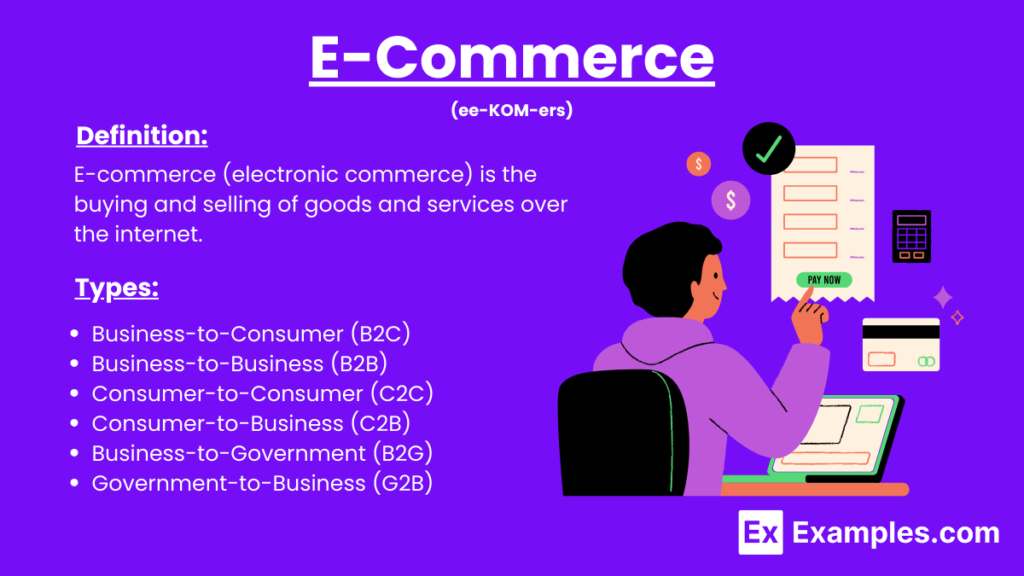
E-commerce refers to buying and selling goods or services online.
When a customer visits an online store, chooses a product, pays digitally, and receives the order at their address, that entire process is part of e-commerce.
E-commerce can include physical products, digital products, subscriptions, services, memberships, and more.
Common E-Commerce Business Models
| Business Model | How It Works | Example |
|---|---|---|
| B2C | Business sells directly to consumers | Clothing store |
| B2B | Business sells to another business | Wholesale supplier |
| C2C | Consumers sell to other consumers | Resale marketplace |
| D2C | Brand sells directly to customers | Independent product brand |
| Subscription | Customers pay regularly | Software or product boxes |
| Digital products | Products are delivered digitally | Templates or online courses |
For beginners, B2C and D2C models are often easier to understand because they involve selling directly to individual customers.
Why Start an E-Commerce Business in 2026?
Online shopping has become a normal part of everyday life. Customers can discover products through search engines, social media, marketplaces, videos, recommendations, and creator content.
This creates opportunities for both established businesses and small entrepreneurs.
You do not necessarily need a huge inventory or a physical shop to begin. Depending on the business model, you may be able to start with a small product range and expand as demand grows.
Some businesses also begin with digital products or print-on-demand models, which can reduce the need to maintain physical inventory.
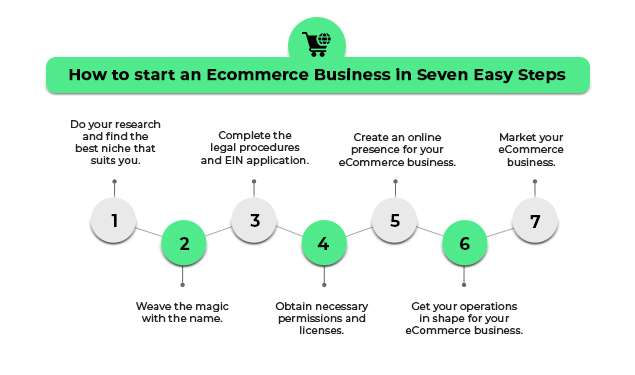
Step 1: Choose What You Want to Sell
The first major decision is your product.
Instead of choosing something simply because it is popular, consider whether there is a clear customer need and whether you can offer something useful or different.
Potential product categories include:
- Fashion and accessories
- Beauty products
- Home and decor
- Fitness products
- Electronics accessories
- Pet products
- Stationery
- Digital products
- Handmade products
- Food and specialty products
A good product idea usually sits somewhere between customer demand, your knowledge, and realistic business potential.
Questions to Ask Before Choosing a Product
Ask yourself:
- Who would buy this product?
- What problem does it solve?
- How much are customers already paying for similar products?
- How difficult is it to source?
- Can it be shipped safely?
- What makes it different?
- Can the business make a reasonable margin?
- Is there potential for repeat purchases?
These questions can eliminate weak ideas before you spend money on inventory.
Step 2: Research Your Market
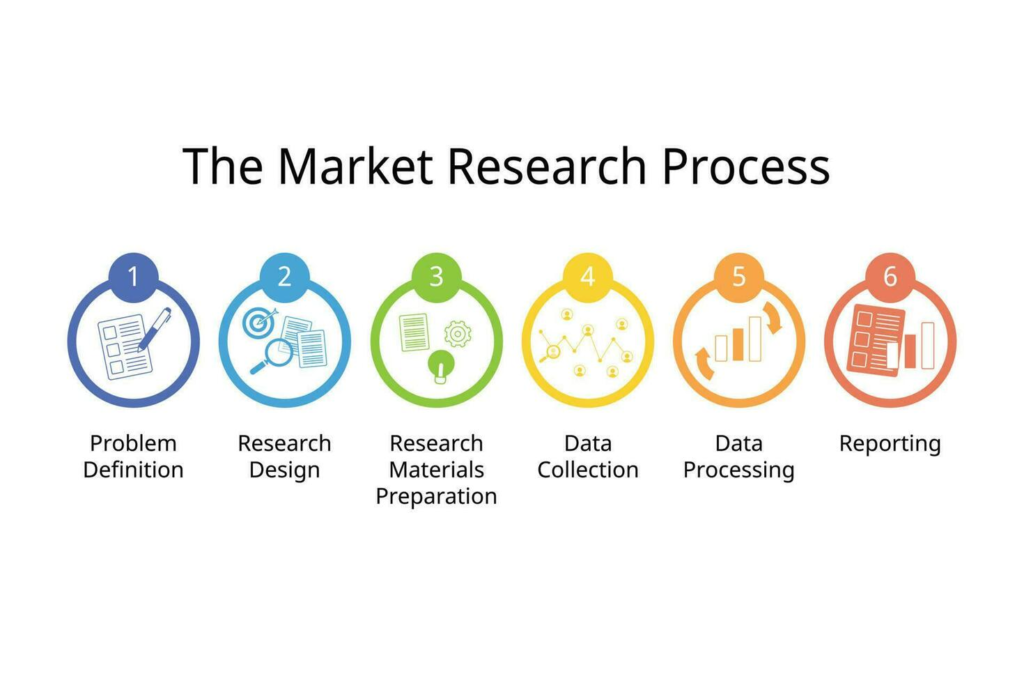
Market research helps you understand what customers actually want.
Start by looking at competing stores, marketplace listings, customer reviews, social media discussions, and search trends.
Pay attention not only to what people like but also to what they complain about.
For example, customers may repeatedly mention:
- Poor packaging
- Slow delivery
- Difficult returns
- Limited sizes
- Weak product quality
- Confusing product information
- Poor customer support
These complaints can reveal opportunities.
Simple Competitor Research
| Area | What to Study |
|---|---|
| Products | What competitors sell |
| Pricing | Typical price range |
| Reviews | Customer likes and complaints |
| Website | Shopping experience |
| Shipping | Delivery options and fees |
| Returns | Return and refund policies |
| Marketing | Ads, content, social media |
| Positioning | What makes the brand different |
You do not need to copy competitors. The purpose of research is to understand the market and identify gaps.
Step 3: Define Your Target Customer
Trying to sell to everyone can make your marketing less effective.
Instead, create a simple customer profile.
For example:
Target customer: College students looking for affordable desk accessories.
You can then consider their budget, buying habits, interests, preferred platforms, and common problems.
A clearer audience makes it easier to decide what products to stock, what content to publish, and how to communicate your value.
Step 4: Choose Your E-Commerce Business Model
There are several ways to run an online store.
Inventory-Based E-Commerce
You purchase products from manufacturers or suppliers and keep stock yourself.
This gives you more control over packaging and fulfillment, but it also requires upfront investment and storage space.
Dropshipping
With dropshipping, the supplier handles inventory and ships products directly to customers.
The lower inventory requirement can make it easier to start, but you have less control over fulfillment and product quality.
Print on Demand
Products such as T-shirts, mugs, posters, or bags are produced after a customer places an order.
This can be useful for creators and designers who want to sell original designs without storing large amounts of inventory.
Digital Products
Digital products can include:
- E-books
- Templates
- Design assets
- Online courses
- Presets
- Guides
- Software
- Digital downloads
There are no physical shipping requirements, although you still need a reliable delivery system and customer support process.
Step 5: Find Reliable Suppliers
If you are selling physical products, supplier selection can directly affect customer satisfaction.
A supplier may offer attractive pricing, but that does not necessarily mean the products are reliable.
Before committing to a large order, consider requesting samples.
Check:
- Product quality
- Packaging
- Delivery time
- Communication
- Minimum order quantity
- Return or replacement policies
- Production capacity
Do not choose a supplier based only on the lowest price.
Step 6: Calculate Your Costs
One of the most common beginner mistakes is looking only at the product cost.
Your actual expenses can include:
- Product cost
- Packaging
- Shipping
- Website expenses
- Payment processing
- Advertising
- Platform fees
- Returns
- Taxes
- Customer support
- Software subscriptions
A simple calculation can help.
Selling Price − Total Cost = Gross Profit
For example, if a product sells for $50 and the combined product, packaging, shipping, and transaction costs are $30, the gross profit before other business expenses would be $20.
Understanding these numbers before launching can prevent pricing problems later.
Step 7: Choose Where to Sell
You have several options for selling online.
Your Own Website
An independent store gives you greater control over branding, customer experience, product presentation, and marketing.
The trade-off is that you are responsible for attracting visitors.
Online Marketplaces
Marketplaces can provide access to an existing customer base.
They may be useful for reaching shoppers who already use those platforms, but sellers typically have to follow marketplace rules and pay applicable fees.
Social Commerce
Social platforms can help businesses showcase products through videos, posts, creators, and live shopping.
This works particularly well for products that are visually appealing or easy to demonstrate.
Multi-Channel Selling
Some businesses use several channels at the same time.
For example:
Website + Marketplace + Social Media + Email
This can increase reach but also makes inventory and order management more complicated.
Step 8: Build a User-Friendly Online Store
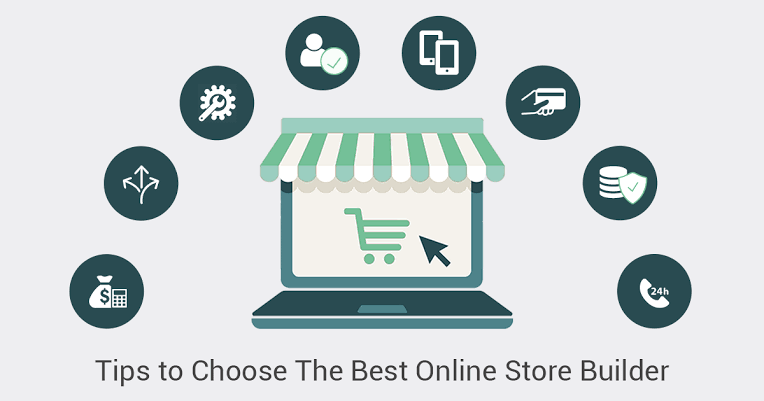
Your website does not need to be complicated.
A beginner-friendly store should make it easy for customers to:
- Find a product
- Understand what it does
- See the price
- Check availability
- Understand delivery
- Add the item to the cart
- Pay securely
- Track the order
Important Store Pages
Your store should generally include:
- Homepage
- Product pages
- Category pages
- About page
- Contact page
- Shipping information
- Returns and refunds
- Privacy policy
- Terms and conditions
- FAQ section
Clear navigation is just as important as visual design.
Step 9: Create Better Product Pages
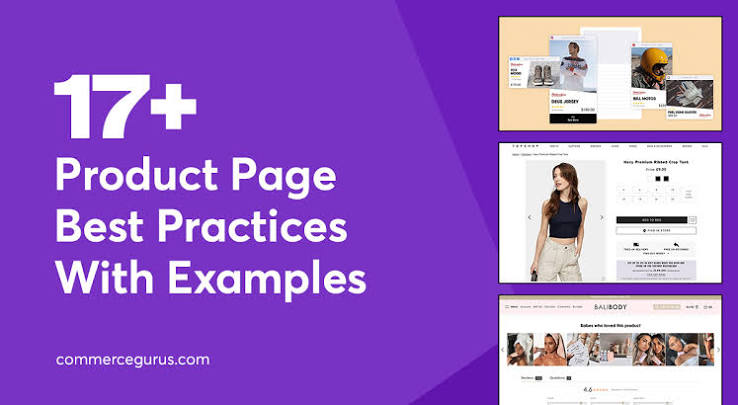
A product page should answer the questions customers are likely to have before buying.
Include:
- Clear product title
- High-quality images
- Product description
- Key features
- Specifications
- Price
- Available variations
- Delivery information
- Return policy
- Customer reviews where applicable
Avoid filling the page with unnecessary marketing language.
A shopper should be able to understand the product quickly.
Step 10: Make Your Store Mobile-Friendly
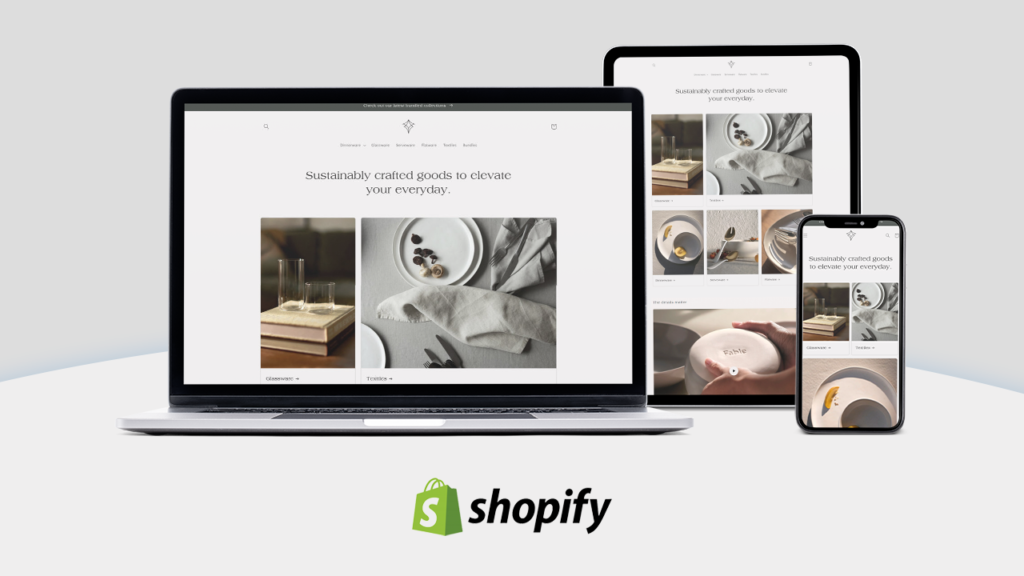
A large portion of online browsing happens on smartphones.
Your store should therefore work smoothly on smaller screens.
Check:
- Font size
- Button placement
- Image loading
- Menu navigation
- Checkout process
- Product image quality
- Page loading speed
A customer who struggles to navigate your site may simply leave instead of completing the purchase.
Step 11: Set Up Payments
Customers expect a secure and convenient checkout experience.
Depending on your target market, you may offer options such as:
- Credit cards
- Debit cards
- Digital wallets
- Bank transfers
- Buy-now-pay-later services
- Cash on delivery where appropriate
Do not add every possible payment option simply for the sake of having more choices. Focus on the methods your target customers actually use.
Step 12: Plan Shipping and Fulfillment
Shipping can have a major impact on customer satisfaction.
Before launching, decide:
- Where orders will be shipped from
- Which delivery partners you will use
- How shipping rates will be calculated
- How quickly orders will be dispatched
- How customers can track orders
- What happens when an order is damaged or lost
Be honest about delivery timelines.
A realistic delivery estimate is better than promising fast shipping and repeatedly missing the deadline.
Step 13: Create a Clear Return Policy
Customers want to know what happens if a product does not meet their expectations.
A return policy should clearly explain:
- Return window
- Eligible products
- Product condition requirements
- Refund process
- Exchange options
- Return shipping responsibilities
- Non-returnable products
Keep the wording easy to understand.
Step 14: Learn the Basics of E-Commerce SEO
Search engine optimization can help customers discover your store through organic search.
Start with the basics:
Keyword Research
Identify phrases people use when searching for your products.
For example, instead of targeting only “running shoes,” a store might also target more specific searches such as:
- Running shoes for beginners
- Lightweight running shoes
- Running shoes for daily training
Product Page Optimization
Use relevant keywords naturally in product titles, descriptions, headings, image alt text, and other appropriate areas.
Helpful Content
Blog posts and guides can answer customer questions and attract people earlier in the buying process.
For example, a fitness store could publish:
How to Choose the Right Running Shoes for Beginners
The article can then naturally connect readers with relevant products.
Step 15: Use Social Media to Build Awareness
Social media can help an e-commerce business show products in a more natural way.
Instead of posting only product advertisements, create content that helps or entertains your audience.
Ideas include:
- Product demonstrations
- Tutorials
- Before-and-after content
- Customer stories
- Behind-the-scenes videos
- Product comparisons
- FAQs
- Styling ideas
- User-generated content
Short-form video can be particularly useful for showing how a product looks or works.
Step 16: Build an Email Marketing List
Email remains useful because it gives businesses a direct way to communicate with customers.
You can send:
- Welcome emails
- Product announcements
- Educational content
- Abandoned-cart reminders
- Seasonal promotions
- New collection updates
- Personalized recommendations
Avoid sending emails too frequently. Useful and relevant messages are more likely to keep subscribers engaged.
Step 17: Understand E-Commerce Analytics
You cannot improve a store effectively if you do not know what is happening.
Some useful metrics include:
| Metric | What It Shows |
|---|---|
| Website traffic | Number of visitors |
| Conversion rate | Percentage of visitors who purchase |
| Average order value | Average amount spent per order |
| Cart abandonment rate | Customers who leave without purchasing |
| Customer acquisition cost | Cost of gaining a customer |
| Repeat purchase rate | Customers who buy again |
| Revenue | Sales generated |
| Return rate | Orders returned by customers |
These numbers can reveal where customers are dropping out of the buying process.
Step 18: Use AI in E-Commerce
AI is becoming increasingly useful across online retail.
Businesses can use AI-assisted tools for tasks such as:
- Product description drafts
- Customer service
- Product recommendations
- Content ideas
- Image editing
- Demand analysis
- Data analysis
- Email personalization
- Search optimization
- Inventory forecasting
However, AI-generated information should still be reviewed by a person before publishing or using it in important business decisions.
Common E-Commerce Mistakes Beginners Should Avoid
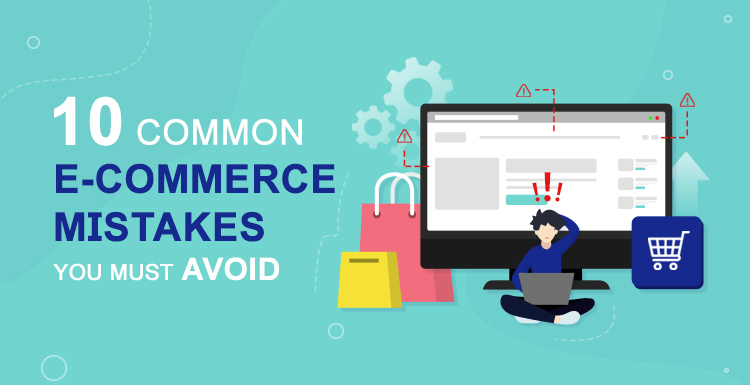
Launching Without Research
Creating a store before understanding the market can result in products that customers do not actually want.
Competing Only on Price
A small business may struggle to compete with larger retailers purely on price.
Instead, focus on value, product quality, service, convenience, specialization, or brand experience.
Making Checkout Complicated
Every additional unnecessary step can create friction.
Keep the checkout process as simple as possible.
Using Poor Product Images
Customers cannot physically touch an online product. Images therefore play an important role in helping them understand what they are buying.
Ignoring Customer Service
A good product does not compensate for poor communication.
Respond to questions clearly and deal with problems professionally.
Spending Too Much on Advertising Too Early
Paid advertising can generate traffic, but spending heavily before understanding conversion rates and customer demand can become expensive.
Start by testing small campaigns and measuring results.
A Simple E-Commerce Launch Checklist
| Area | Checklist |
|---|---|
| Product | Validate demand |
| Audience | Define your target customer |
| Supplier | Check quality and reliability |
| Pricing | Calculate all costs |
| Website | Create simple navigation |
| Product pages | Add useful information |
| Payments | Offer suitable payment methods |
| Shipping | Set clear delivery expectations |
| Returns | Publish an understandable policy |
| SEO | Optimize important pages |
| Marketing | Prepare content and campaigns |
| Analytics | Set up performance tracking |
| Customer service | Create a support process |
E-Commerce Trends to Watch in 2026
Several developments are influencing how online stores operate.
AI-Powered Shopping
AI is increasingly being used to help shoppers discover products, compare options, and receive personalized recommendations.
Social Commerce
Customers can increasingly discover and interact with products without leaving social platforms.
Personalized Experiences
Stores are using customer behavior and preferences to provide more relevant product recommendations and marketing.
Faster Fulfillment
Customers continue to value convenient delivery and accurate tracking.
Mobile-First Shopping
Mobile optimization remains important because many shoppers discover products and complete purchases through smartphones.
Sustainable E-Commerce
Customers and businesses are paying greater attention to packaging, sourcing, product durability, and environmental impact.
Coupon Codes 2026: Best Promo Codes, Discounts & Deals
Online shopping has made it easier to find almost anything with a few clicks, but…

Compare Flight Prices in 2026: Find Cheap Flights & Best Deals
Booking a flight can feel surprisingly complicated. Two people searching for the same route can…
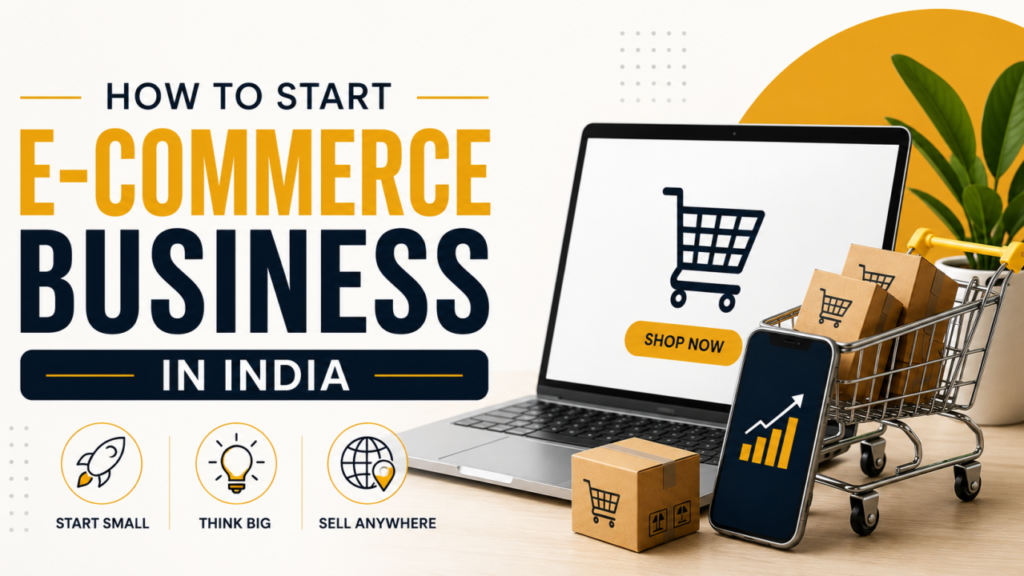
The Ultimate E-commerce Guide for Beginners in 2026
Guide to starting an online store Starting an online store can feel overwhelming when you…
Ultimate 2026 Laptop Buying Guide: Expert Reviews & Picks
Buying a laptop sounds easy until you start looking at the options. Suddenly, you’re comparing…
Best Price Comparison Tools to Save Money in 2026
Let’s be honest with ourselves for a second. How many times have you been staring…

Best Festive Discounts & Promotions to Watch in 2026
Let’s be completely honest about how festive shopping actually works. Every year, as soon as…